Your business, online in one link.
LettUsBiz builds a storefront from your Facebook page: what you sell with prices, photos, your location and hours, and a Message button. You check it and claim it, and publishing is free.
For food, car parts, services and events, and other small businesses selling on Facebook in the Philippines.


Buyers ask in the comments. Your page answers.
The same questions come up under every post. Your storefront answers them on one page, and every link below opens the live Halimuyak by Chinael storefront.
HM po?
What you sell, with prices
Your menu, products or packages, each with its photo and price. No price yet? It says “Ask for price”, never ₱0.
See Halimuyak by Chinael's packagesMore pics po?
Saan location?
Location and hours
Your address with a map link, your opening hours, and how much notice you need for orders or bookings.
See the contact sectionAvailable pa?
A Message button
Buyers tap once to message you on Messenger, or call you. On phones it stays under their thumb.
Legit ba?
The verified badge
Shown on your page once we've checked your business, so buyers in groups can see you're legit.
What the badge checks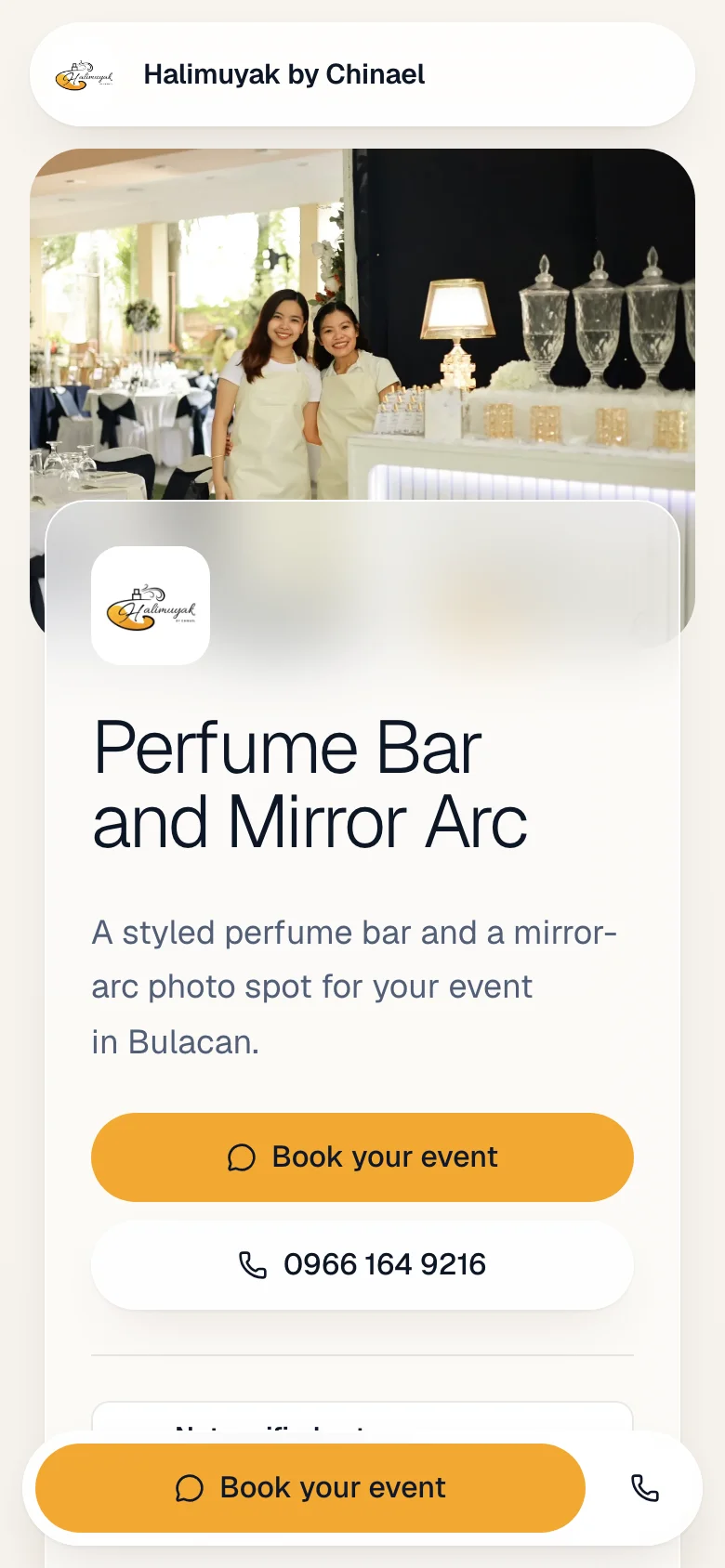
How it works
From the page you already have to a verified storefront, in four steps. You don't build anything yourself.

What the badge checks
Before a page shows the badge, we check four things about the business behind it. Buyers see the badge, and what it means, on your page.
Business registration
The business is registered, and we record its registration number.
Payment account name
The name on the account buyers pay into matches the business.
Page history
How long the page has been around and selling.
Manual review
A person on our team looks over the whole page.
All four pass
and your page shows the badge.
The badge isn't a guarantee, and buyers are told so. It can change:
- LettUsBiz verifiedBusiness details checked
- Several buyers report it
- Badge under reviewWe check before restoring it
- A report is confirmed
- Badge removedBuyers see it was removed
Run the business, not only the page
Once your storefront is live, we can set up a seller login for you. Already have one? Log in
Inventory
Stock for each item. Restocks and counts are logged, so every number has a history, and you see which items are running low.
Sales
Log each sale as cash, GCash or bank transfer. Stock comes off by itself, and a sale entered by mistake is voided, never deleted.
Finance
Record expenses with receipt photos and see money in and out for each month.
Get your storefront
Tell us about your business. Our team builds the draft from your Facebook page and contacts you with a private preview link.

Publishing is free when you claim your page.

Buying from a Facebook seller?
Check if they're verified before you pay. Search by name or paste their page link.
Questions
How much does it cost?
Publishing your storefront is free once you claim it.
Do I have to build the page myself?
No. Our team builds the first draft from your Facebook page. You check it through a private link and tell us what to change.
Who can see my page before it's published?
Only people with the private preview link. It isn't on Google, and nothing goes public until you claim it.
What kinds of businesses is it for?
Small businesses selling on Facebook: food with a menu, car parts and accessories, services and events with packages, and other products.
What does the verified badge mean?
That we checked four things: the business registration, that the payment account name matches the business, the page's history, and a manual review. It isn't a guarantee, and buyers are told so.
Can the badge be taken away?
Yes. If several buyers report a seller, the badge shows as under review while we check. If a report is confirmed, the badge is removed.
Can buyers leave reviews?
Buyers can send a vouch from your storefront. We read each one before it appears on your page.
What's in the seller area?
Inventory, sales and finance for your business. We set up your login after your page is live.
Bring your page. We'll build the storefront.
Publishing is free when you claim it.